Start from the symptom
Bosch washer controls not responding.
Check three things first: a lit lock symbol, a Finish in delay that was set earlier, and a display that dimmed to save energy. The WGA12400UC manual lists each as a reason the program does not start. If a code stays on the display, Bosch asks for a restart and a 30-second power disconnect.
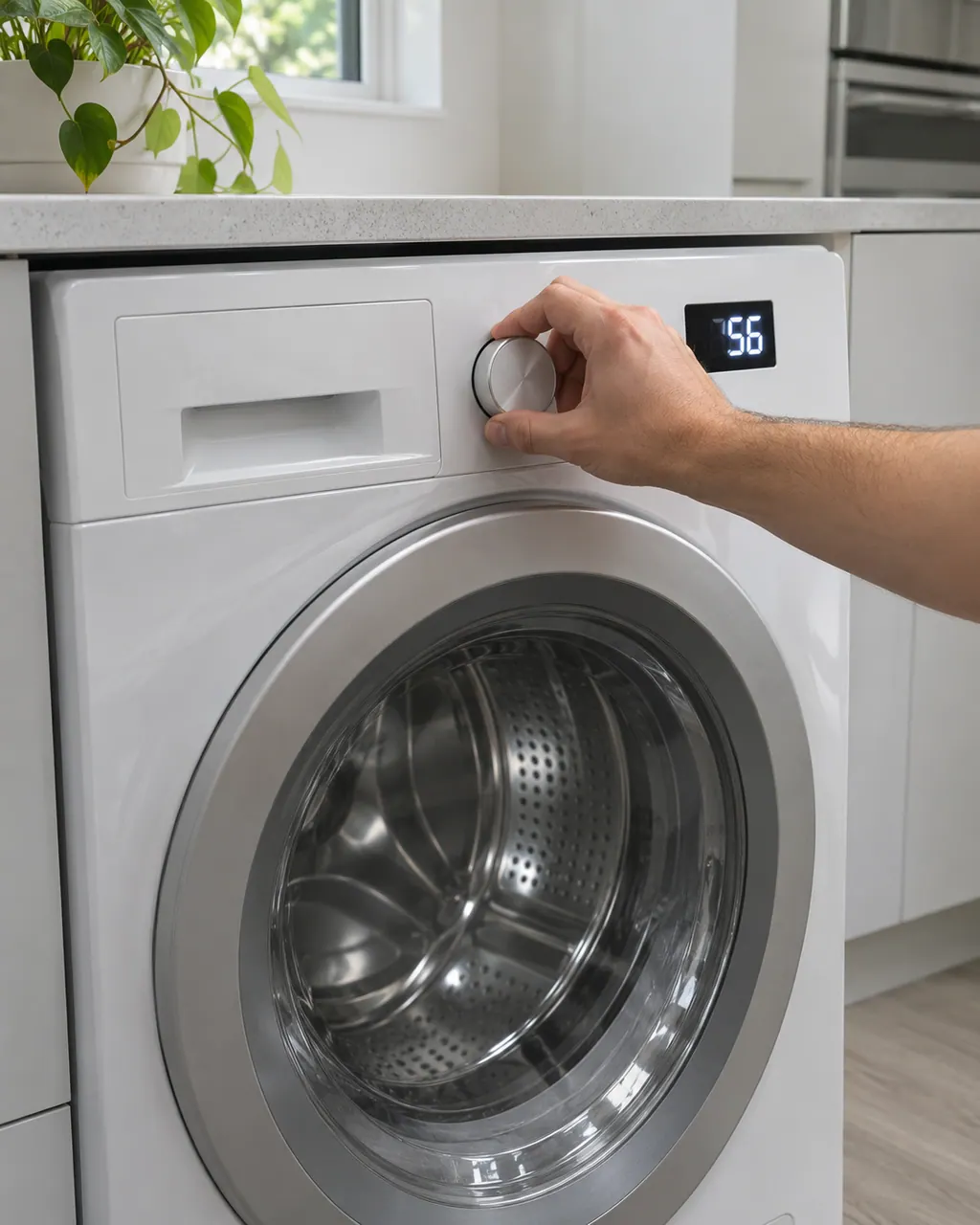
Start with safe observations.
Switch off and unplug before any check you do yourself. Watch for pooled water and sharp debris. Never touch a wet plug or an electrical area, take off a service panel or go beyond your model’s owner instructions.
- 1
Wake the display
When the display goes out and the Start/Pause symbol flashes, the washer is in energy-saving mode. Press Start/Pause and the display lights again.
- 2
Look for the lock
If the screen shows CL, the control panel lock is on. Hold the two lock buttons for about three seconds. The lock survives a power cut, so unplugging does not clear it.
- 3
Check Finish in
The manual names an active Finish in as a reason the program does not start. The program waits for the delayed start time. Look at that setting.
- 4
Close the door
The manual lists a door that is not completely closed when a symbol flashes. Make sure no laundry is caught in the door, then close it.
- 5
Restart, then disconnect
For a code that has no entry of its own, turn the washer off, then back on. If it returns, unplug it or turn off its breaker for at least 30 seconds, then reconnect.
- 6
Write the display down
If it comes back after that, note the exact message and the model. Bosch's manual suggests photos or a video of the display.
Systems a technician may investigate.
We suggest a part only when the washer has been tested in your home. A price comes first, and the order waits for your approval.
Read the related care guide.
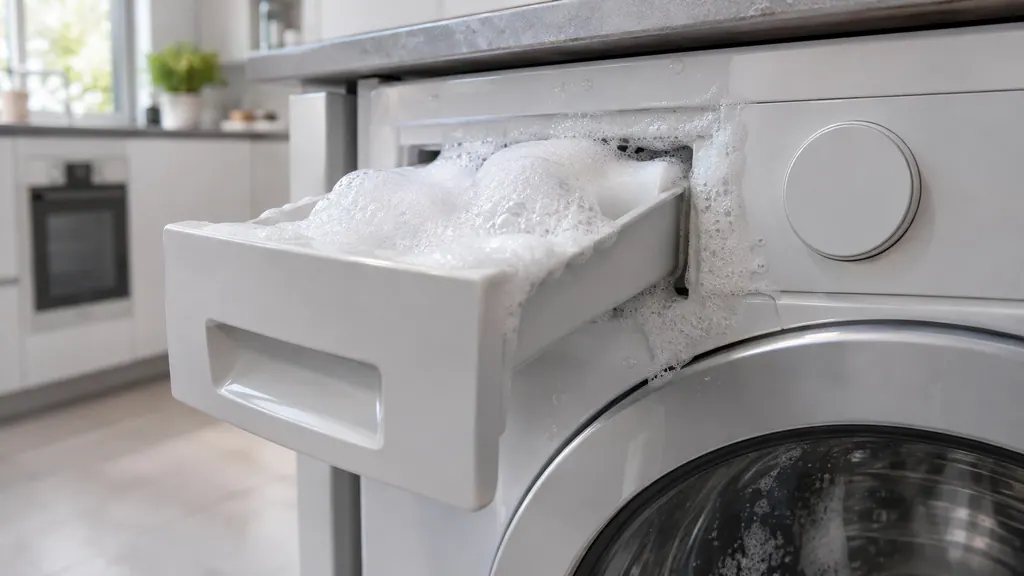
Suds in the drawer? Use less detergent, not more rinsing.
A soap bubbles icon, E33 or F33 means Bosch's washer sensed too much foam. Bosch says to reduce the detergent next time, and as a quick fix to mix a tablespoon of fabric softener with about 2 cups of water and pour it into compartment II. [1][5]
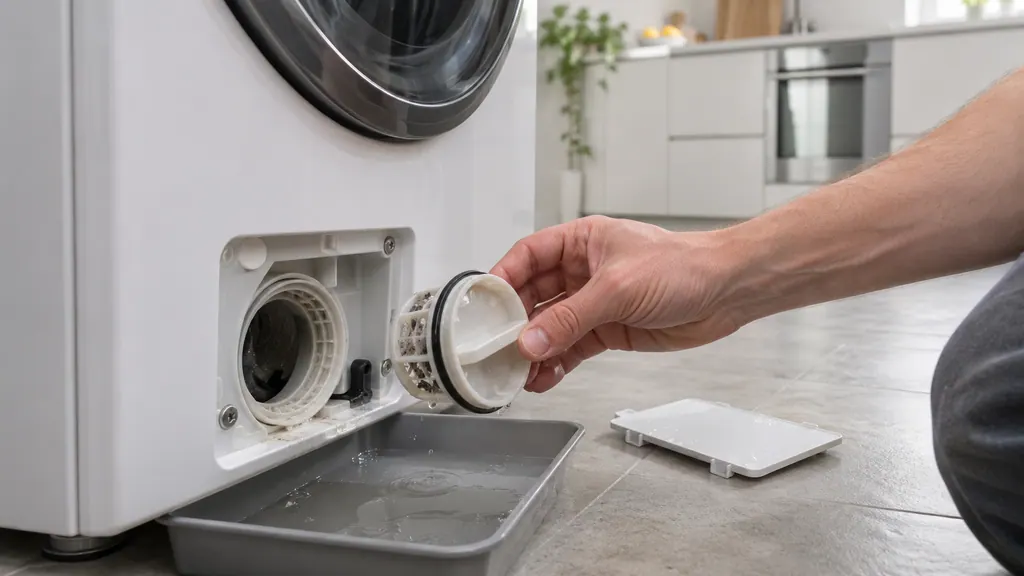
Washer will not drain? Clean the pump the way Bosch shows.
Bosch says to clean the drain pump no less than yearly and whenever the washer is blocked or rattling. You unplug the washer, open the service flap, drain the detergent solution into a container, unscrew the pump cap, clean the housing, and screw the cap back with its handle vertical. [1]
When observation becomes a service request.
Leave internal testing to a technician.
A code returns after the restart and the 30-second power disconnect.
The washer will not power on at all, with the plug and the breaker both checked.
Buttons respond, but the door never locks or the drum does not turn.
You see a message that matches E80.
Arrange a diagnosticSources and model boundaries.
These are the sources behind the Bosch washer controls not responding guidance. Pick the manual for your own model.
- Washing machine WGA12400UC [en-us] User manual and installation instructions
- Washing machine WGA12400UC [en-us] User manual and installation instructions
- Washer | Error Codes | Bosch
- Washer | Error Codes | Bosch
- Washer | Error Codes | Bosch
Open the instructions that match your exact model. See how we research these pages.
Why will my Bosch washer not begin a cycle?
The manual lists two causes for a program that does not start: the control panel lock is on, or Finish in is set. Turn the lock off and check the delayed start time before anything else.
What does CL mean on a Bosch washer?
Bosch's page says the Child Lock is activated. On the WGA12400UC, pressing the two lock buttons together for roughly three seconds releases it. The lock stays on through a power cut.
Does unplugging the washer clear a code?
For codes without their own entry, Bosch says to turn the washer off, then back on, and then disconnect the power for at least 30 seconds. A lock symbol is different: the manual says the lock remains active after a power failure.
The display went dark and Start/Pause is blinking. Is that broken?
No. Bosch lists that as energy-saving mode. Press Start/Pause and the display lights up again. No repair is needed for that.
Bosch E-codes, symptoms, parts, repair visits
From the message to the step after it.
CL
CL on a Bosch washer means the Child Lock is activated. Check your owner's manual for how to switch it off on your model; it is a setting, not an error.
Bosch washer leaking water
Close the tap and disconnect the washer's power, then look at where the water shows up. Bosch's washer manual ties a leak to four spots: the inlet hose, the outlet hose, the door seal, or an overfull detergent drawer. Water inside the base is a different case. Book a technician for that.
Washer repair
Arrange a diagnostic for your exact model, carried out at the appliance.
Find your metro
Office details, plus the access information to send us.