On this page
- Wait two minutes after plugging in before using a sensor setting. 1
- Do not open the drawer during the first part of sensor use. 1
- ERROR means the sensor did not detect vapor; touch stop/clear and cook manually. 1
- MORE or LESS time is set with the power level key. 4
- Holding 5 for 3 seconds locks the panel and the drawer. 3
How does the sensor in a Bosch microwave drawer work?#
The sensor is a semiconductor device that detects vapor, the moisture and humidity the food gives off as it heats. From that it adjusts the cooking time and power level for different foods and quantities, so you do not calculate them yourself. 1
That is why the sensor settings ask for care. The measurement happens in the first part of the cycle, and anything that disturbs the vapor reading, such as a wet dish, an opened drawer or very cold food, can confuse it.
| Setting | For | Starts with |
|---|---|---|
| Popcorn | One package of microwave popcorn at a time | Touch the popcorn key, then start (+30 secs) 1 |
| Sensor Reheat | 4 to 36 oz of food | Touch the sensor reheat key, then start 1 |
| Sensor Cook | Foods on the menu label, such as potatoes, fish, rice and vegetables | Touch sensor cook, pick the food number, then start 2 |
What are the rules for using a sensor setting?#
Wait two minutes after plugging in the drawer, wipe moisture from the outside of the container and the inside of the cavity, and use food at normal storage temperature. Do not open the drawer or touch stop/clear while the food name is on the display. 1
- 1
- 2
- 3
- 4
- 5
- 6
For quantities that the menu label does not list, cook manually following a microwave cookbook. 1
What does ERROR mean, and what do I do?#
ERROR means the sensor did not detect the vapor properly. It can appear when cooking any food except popcorn. Touch the stop/clear key and continue by cooking manually, then check the food temperature and add time if needed. 1
The manual also lists the other way to cause it: opening the drawer or pressing stop/clear during the first phase of sensor use interrupts the vapor measurement, and an error message appears. 1 If that happens, the answer is the same.
So the usual causes are all in your hands. A damp dish, cold food, a quantity outside the chart, or touching the drawer too early. If ERROR shows on every sensor program with dry food and a dry cavity, it is time to book a visit. Our microwave repair page explains what the technician checks, and the vapor sensor entry describes the part.
How do I use Popcorn and Sensor Reheat?#
For popcorn, use only popcorn packaged for the microwave, cook one package at a time with the correct side up, and never try to pop loose kernels. Touch the popcorn key once for a regular 2.85 to 3.5 oz bag, twice for a mini or snack 1.2 to 1.75 oz bag. 1
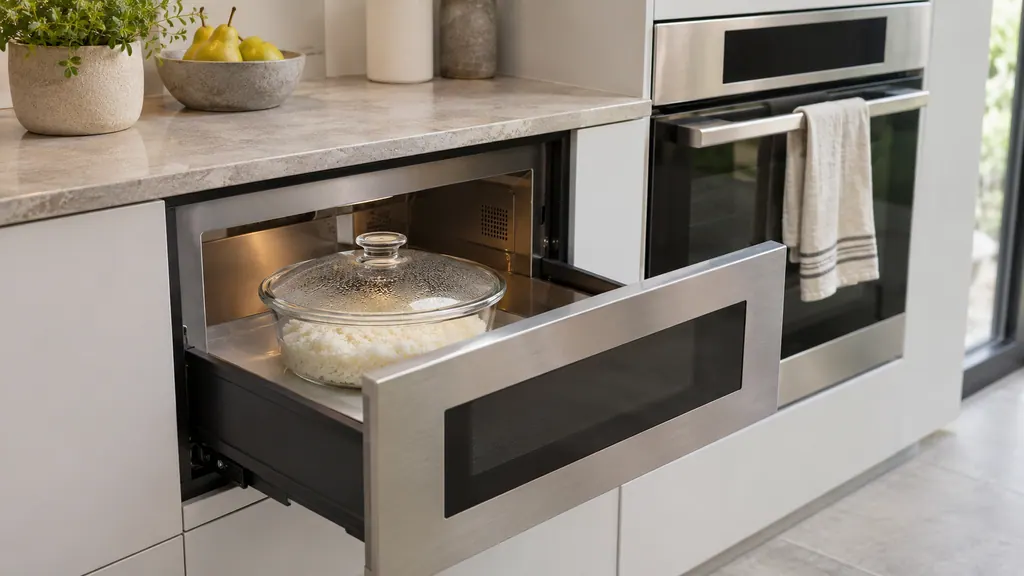
For Sensor Reheat, put 4 to 36 oz of food in a microwave-safe dish slightly larger than the food and cover it with a microwave-safe lid, plastic wrap or wax paper. Touch sensor reheat, then start. When it finishes, uncover the food carefully, aiming the steam away from you, stir well, re-cover and let it stand for 2 to 3 minutes. 1
How do I use Sensor Cook?#
Touch sensor cook, pick the food number from the menu label and touch start. The display shows the food name and SENSOR COOK while it measures vapor, then the cook time counts down. At the end, a prompt such as STIR or LET STAND COVERED appears. 2
The chart in the manual gives the procedure for each food. A few examples. 2
| Food | Amount | Key points |
|---|---|---|
| Baked potatoes | 1 to 6 medium | Pierce at least three times each; place on paper towel; wrap in foil and stand 5 to 10 minutes after |
| Fish and seafood | 0.25 to 2.0 lb | Arrange in a ring in a shallow glass dish, cover with vented wrap, stand 3 minutes |
| Brown or white rice | 4 to 16 oz | Large deep casserole, double the water; stir and stand 3 to 5 minutes |
| Frozen vegetables | 0.25 to 1.25 lb | No water added; cover; stir and stand 3 minutes |
| Frozen entrees | 6 to 17 oz | Remove outer packaging, cover as the package says; stand 3 minutes |
To heat other foods, or amounts above or below the chart, cook manually. 2 The drawer also shows a cooking hint under HELP when you touch the timer/settings key. 4
How do I add or remove time, and lock the panel?#
After choosing a sensor, defrost or More setting, touch the power level key once to add time (MORE) or twice to reduce it (LESS). To lock the panel and the drawer mechanism, touch and hold the number 5 for 3 seconds until LOCK ON shows. 34
The lock keeps small children from operating the drawer. Hold 5 for 3 seconds again to switch it off, and the display shows LOCK OFF. A power interruption cancels the lock, so you set it again after the power returns. 3 Also, after a power cut the display shows a prompt, and a program running at the time is erased along with the clock. Touch stop/clear and reset the clock. 3
Use the Open or Close key to move the drawer. Do not push or pull it by hand except in an emergency such as a power failure, and then do it slowly. 3
What other features help with manual cooking?#
You can program up to 4 automatic cooking sequences that switch from one power level to another, enter each time and power level in turn and then touch start (+30 secs). The +30 secs key adds thirty seconds at 100% power per touch, but it cannot be used with the sensor settings, More or Defrost. 4
If a sensor result is slightly off for your dish, adjust it with MORE or LESS time rather than abandoning the sensor. Check food temperature after cooking, and continue manually if additional time is needed. 1
How do I clean the drawer and remove odors?#
Lock the panel first so the drawer cannot move while you clean. Wipe the interior and the drawer sealing surfaces with a soft damp cloth and mild soap for heavier soil. Never use abrasive cleaners, scouring pads or chemical oven cleaners. Keep the mica waveguide cover clean and do not remove it. 5
Wipe spatters off the waveguide cover right away: built-up splashes may overheat and cause smoke or even catch fire. 5 Brush crumbs from the drawer guides so it opens and closes smoothly. For a lingering smell, use the lemon and clove method from the FAQ. 5
When should I book a technician?#
Book a visit if ERROR appears on every sensor program with a dry dish and cavity, if the drawer will not open or close from the key, if the panel does not respond after a power reset. 13
We are an independent repair company, not part of Bosch. A drawer microwave under Bosch's own warranty is repaired through the manufacturer. Otherwise book a visit. The technician agrees the price with you before any work starts, and the exact cost is confirmed after the on-site diagnostic.
Sources#
- Drawer Microwave Use and Care Manual, Models: HMD8454UC HMD8054UCBSH Home Appliances (Bosch US manual PDF, media3.bosch-home.com) · PDF created 30.09.2025, tag _C · PDF p11: sensor settings, popcorn and sensor reheat
- Drawer Microwave Use and Care Manual, Models: HMD8454UC HMD8054UCBSH Home Appliances (Bosch US manual PDF, media3.bosch-home.com) · PDF created 30.09.2025, tag _C · PDF p12: sensor cooking chart
- Drawer Microwave Use and Care Manual, Models: HMD8454UC HMD8054UCBSH Home Appliances (Bosch US manual PDF, media3.bosch-home.com) · PDF created 30.09.2025, tag _C · PDF p9: before operating, panel lock, opening the drawer
- Drawer Microwave Use and Care Manual, Models: HMD8454UC HMD8054UCBSH Home Appliances (Bosch US manual PDF, media3.bosch-home.com) · PDF created 30.09.2025, tag _C · PDF p15: other features
- Drawer Microwave Use and Care Manual, Models: HMD8454UC HMD8054UCBSH Home Appliances (Bosch US manual PDF, media3.bosch-home.com) · PDF created 30.09.2025, tag _C · PDF p19: cleaning and care