On this page
Why does my Bosch induction cooktop switch itself off?#
It is protecting something. Bosch's page links its shut-offs to four causes: an overheated cooking zone (F1, F6), overheated electronics (F2, F4), hot cookware near the control panel (F5), and a zone left running too long without action (F8). 1234
The support page's short descriptions, side by side:
| Display | Bosch's description | What the page says to do |
|---|---|---|
| F1 or F6 | Cooking zone overheated; switched off to protect the work surface | Wait for the electronics to cool, switch the zone back on 2 |
| F2 | Electronics overheated; the matching zone switched off | Wait, touch any control element 1 |
| F4 | Electronics overheated; all zones switched off | Wait, touch any control element 1 |
| F5 | Hot cookware near the panel; zone off to protect the electronics | Remove cookware, wait, touch a control 4 |
| F8 + H/h | Zone ran continuously for a long time; time limit triggered | Touch any control element and set the zone again 3 |
The NIT8661UC manual agrees and adds a general note: to protect its electronic parts from overheating or surge currents, the cooktop may temporarily reduce the power level. 5 A cooktop that cooks a little more gently than usual after a long session may be doing this.
What does F5 mean, and how do I clear it?#
F5 means hot cookware is close to the control panel. Bosch has two forms: with a flashing power level it is a warning, and with a signal tone the zone has switched off. Remove the cookware, wait, touch a control. 4
The warning form needs only one step: remove the cookware from the control panel and you can continue to cook. 4 The tone form lists four: remove the cookware, wait a few seconds, touch any control element, and continue once the message disappears and the electronics have cooled down. 4
The manual makes the same point as a rule rather than a code. Never set hot pans and pots on the control panel or the cooktop frame, and do not place cookware near the displays or touch keys. 5
- 1
- 2
- 3
- 4
What is the difference between F2 and F4?#
Both say the electronics have overheated. Bosch's page says F2 switches off the corresponding cooking zone and F4 switches off all cooking zones. Cool down, touch a control, and continue when the message goes out. 1
Newer-format codes join them: E7015, E8207 and E8208 are listed with the same text as F2 and F4 in one entry. 1 The steps are three: wait for the electronics to cool down enough, touch any control element, and continue to cook after the error message disappears. 1
The page does not say what caused your code, and we do not guess. It does say to wait, so wait.
What does F1 or F6 mean?#
The cooking zone has overheated and switched off to protect the work surface. Bosch says to wait for the electronics to cool, then switch the zone back on. It does not list a touch-any-control step for this one. 2
The NIT8661UC manual has the same entry and the same advice: wait for the electronics to cool down enough before switching the cooking zone back on. 5 The manual also warns against heating empty cookware, which can overheat it. 5
What does F8 mean when the zone is not heating?#
F8, sometimes shown with an H or h, means the automatic time limitation was triggered. The zone had been running continuously for an extended period without any action, so the cooktop switched it off. Touch any control and set the zone again. 3
The manual names this "individual safety shut-off" and says touching any button switches off the display so that you can set the cooking zone. 5 For F8 alone the support page adds that if the error persists you should call for help. 3
How should I place cookware to avoid these cut-outs?#
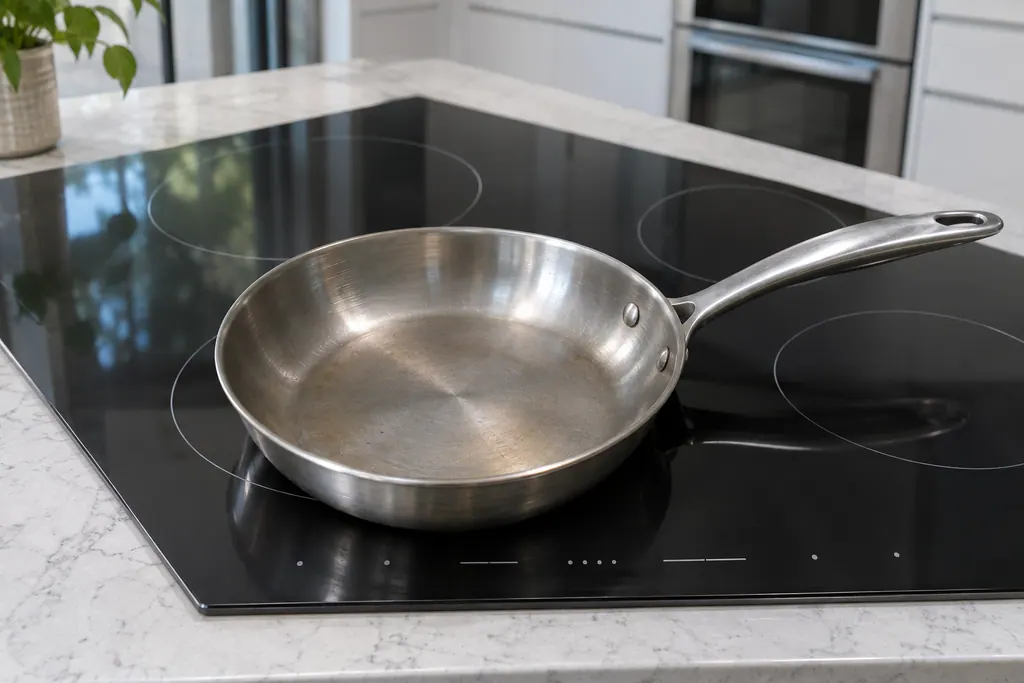
Use cookware with flat bases that matches the zone, keep it off the control panel and the frame, and never heat an empty pan. The NIT8661UC manual says hot cookware can cause the electronics to overheat, empty cookware can overheat, and thin-based cookware may become very hot. 5
The manual's cookware test, reached through the basic settings, checks whether a pan suits a zone: with about a cup of water in the pan, it reports whether the cookware is not suitable, takes longer than expected, or heats correctly. 5 A pan that heats slowly may be sitting on the wrong zone, and the manual suggests trying a smaller zone. 5
None of this explains every cut-out. It does cover the ones that come from heat near the electronics, which are the F5 and the F2 family.
What if the cooktop stops responding altogether?#
The NIT8661UC manual warns that a cooktop which turns itself off and can no longer be operated may switch itself on later without warning. Its instruction is to switch off the circuit breaker or fuse in the electrical panel and then get support. 5
That matters for the scenario where touching a control does nothing after a cut-out. If cooling down and touching a control brings no response, do not keep trying while the surface may be hot. Cut power at the panel and then request a visit.
What if all the indicators flash?#
Bosch says the control panel is wet or an object is covering it. Dry the panel or remove the object. If the error persists, the page says to call for help. 6
The NIT8661UC manual asks owners to keep the control panel clean and dry at all times. 5 A boil-over onto the touch keys, a cloth left on the glass and a wet sponge are the ordinary causes. The same page lists a separate entry for a display that will not light up, which concerns the power supply rather than the panel. 6
When is a repeat cut-out a job for us?#
Reach out if the identical code comes back after a full cool-down, when all indicators keep flashing on a dry and clear panel, or when the display stays dark. Bosch's page lists no further owner steps. 126
We work independently of Bosch, so a cooktop still inside the maker's warranty goes to the maker for that repair. Otherwise set up a visit with our team and read how a cooktop repair visit goes. If the cooktop shows dE and will not heat at all, the demo mode guide explains that separate case.
Sources#
- Bosch Dishwasher Error Codes: Troubleshooting Guide | BoschRobert Bosch Hausgeraete GmbH / BSH Home Appliances (Bosch US owner-support page, bosch-home.com/us; the HTML title is Bosch's own copy error, the page is cooktops and rangetops) · Undated web page; fetched 12.11.2026 · entries "F2", "Error Code F4", "F2, F4, E7015, E8207, E8208"
- Bosch Dishwasher Error Codes: Troubleshooting Guide | BoschRobert Bosch Hausgeraete GmbH / BSH Home Appliances (Bosch US owner-support page, bosch-home.com/us; the HTML title is Bosch's own copy error, the page is cooktops and rangetops) · Undated web page; fetched 12.11.2026 · entry "F1 or F6"
- Bosch Dishwasher Error Codes: Troubleshooting Guide | BoschRobert Bosch Hausgeraete GmbH / BSH Home Appliances (Bosch US owner-support page, bosch-home.com/us; the HTML title is Bosch's own copy error, the page is cooktops and rangetops) · Undated web page; fetched 12.11.2026 · entries "F8" and "F8 + H/h and the cooking zones are not heating"
- Bosch Dishwasher Error Codes: Troubleshooting Guide | BoschRobert Bosch Hausgeraete GmbH / BSH Home Appliances (Bosch US owner-support page, bosch-home.com/us; the HTML title is Bosch's own copy error, the page is cooktops and rangetops) · Undated web page; fetched 12.11.2026 · entries "F5 and a signal tone" and "F5 and the power level flashes alternately with a signal tone"
- Induction cooktop NIT8661UC [en-us] Use and Care ManualBSH Home Appliances (Bosch US manual PDF, media3.bosch-home.com) · PDF created 04.09.2026, tag _E · PDF p19-20 (section 12 Troubleshooting), p7 and p8 (cookware near the panel)
- Bosch Dishwasher Error Codes: Troubleshooting Guide | BoschRobert Bosch Hausgeraete GmbH / BSH Home Appliances (Bosch US owner-support page, bosch-home.com/us; the HTML title is Bosch's own copy error, the page is cooktops and rangetops) · Undated web page; fetched 12.11.2026 · entry "All Indicators Are Flashing"