Start from the symptom
Bosch dryer not starting or shutting off early.
The WQB245B0UC manual lists two reasons a program does not start: the control panel lock is on, or Finish in is set. A display that goes dark mid-cycle with the program ended points to energy-saving mode, a full condensation container, or a kinked or blocked water outlet hose. Hot with a turning drum is the cool-down, not a stop.

Start with safe observations.
Switch off and unplug before any check you do yourself. Watch for pooled water and sharp debris. Never touch a wet plug or an electrical area, take off a service panel or go beyond your model’s owner instructions.
- 1
Turn off the panel lock
Press and hold the lock button around three seconds. The manual says the dryer must be switched on to unlock it.
- 2
Check Finish in
A set end time delays the start. Look for it on the display.
- 3
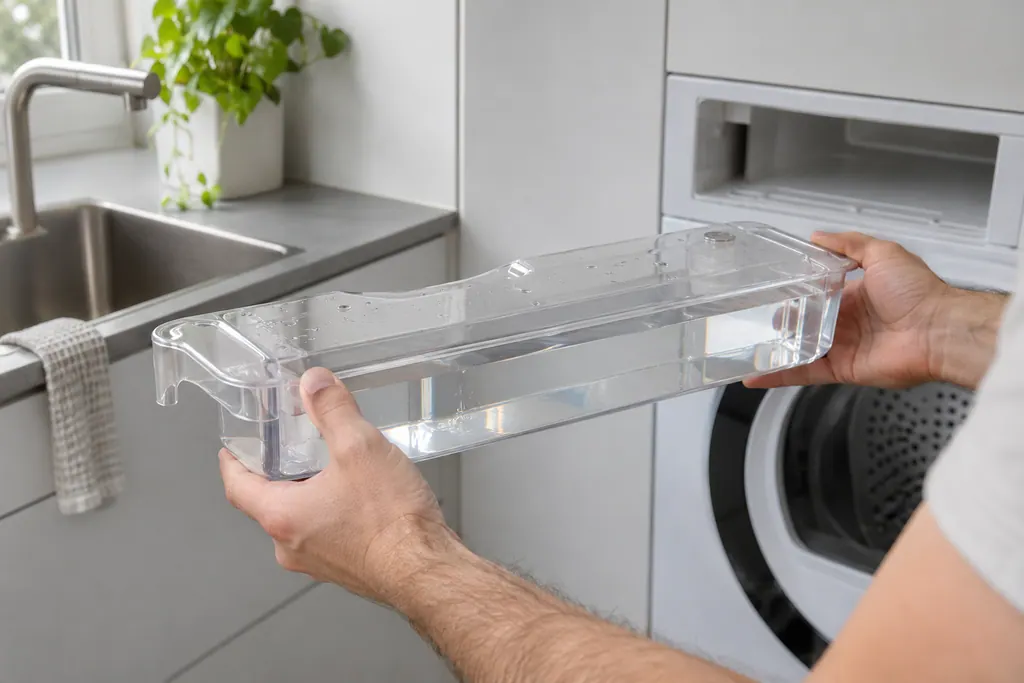
Empty the condensation container
A full container stops the program with the display dark. Pull it out level and empty it.
- 4
Check the outlet hose
If you drain through a hose, confirm it has no kink or pinch. Rinse it with tap water if it is blocked.
- 5
Clean the container filter
The manual names a soiled filter for the condensation container as a cause. Clean it as the manual directs.
- 6
Unresponsive buttons
Hold the power key for about 5 seconds to restart. If it happens again, unplug the dryer or switch off its breaker for at least 30 seconds.
Systems a technician may investigate.
These parts relate to the symptom. The observation alone does not show that any one of them has failed.
If the display adds a code.
Reminders
"CArE" on a Bosch WQB245B0UC dryer asks you to run the basic appliance care program, or to clean a soiled lint screen. It is a prompt and nothing has failed. The care program runs for about 1 hour.
Reminders
"Hot" with a rotating drum on a Bosch WQB245B0UC dryer is not an error. The cooling process is active and cools the laundry for a few minutes. Take no action; it lasts up to 10 minutes. Do not change the program.
Read the related care guide.
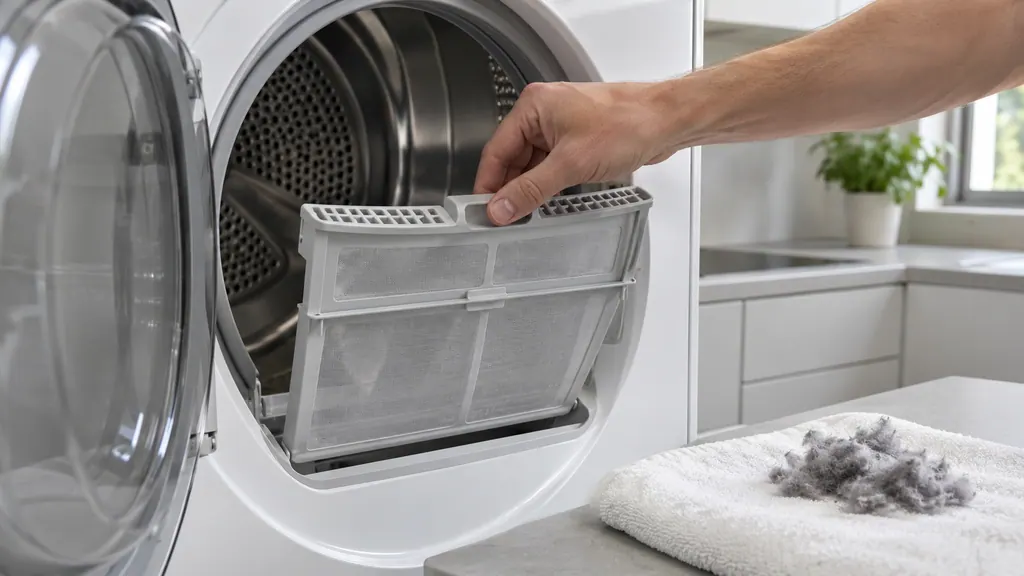
Lint, condensate and the care program, in order.
After each cycle, clean both lint screens and empty the condensation container. Check the container filter, clean the moisture sensor from time to time and run the basic care program when CArE shows. The intensive program needs the original care product and runs about 4 hours. [1][2][3][4]

The right program and dryness level for the load.
Damp laundry usually comes from a program or dryness level that does not suit the load, an oversized or tiny load, a dirty moisture sensor or a full condensation container. Pick an automatic program for the fabric, keep to the maximum load and raise the dryness level if needed. [1][2][4]
When observation becomes a service request.
Leave internal testing to a technician.
The display and buttons stay dead after the 5-second restart and a 30-second power disconnect.
The program stops again with the container empty and the hose clear.
A power cord or plug looks damaged.
The drum turns but the dryer never starts drying.
Arrange a diagnosticSources and model boundaries.
These are the sources behind the Bosch dryer not starting or shutting off early guidance. Pick the manual for your own model.
- Tumble dryer WQB245B0UC [en-us] User manual and installation instructions
- Tumble dryer WQB245B0UC [en-us] User manual and installation instructions
- Tumble dryer WQB245B0UC [en-us] User manual and installation instructions
- Tumble dryer WQB245B0UC [en-us] User manual and installation instructions
Open the instructions that match your exact model. See how we research these pages.
Why won't my Bosch dryer start a program?
The manual gives two reasons: the control panel lock is active, or Finish in is switched on. Release the lock with a three-second press, and check that no end time was set.
The dryer shows Hot and the drum keeps turning. Did it stop?
No. The manual says the cooling process is active and takes up to 10 minutes. It asks you not to change the program during it. Opening the door cancels the cool-down.
Why did my dryer shut off with the display dark?
The manual links this to energy-saving mode, a full condensation container, a kinked or blocked outlet hose, or a soiled container filter. Empty the container first.
What does CArE mean on my dryer?
It means the basic appliance care program should be run, and the manual also tells you to clean the lint screen. It is a reminder, not a stop. The care program takes about an hour.
Bosch E-codes, symptoms, parts, repair visits
From the message to the step after it.
CArE
"CArE" on a Bosch WQB245B0UC dryer asks you to run the basic appliance care program, or to clean a soiled lint screen. It is a prompt and nothing has failed. The care program runs for about 1 hour.
Bosch dryer not starting or shutting off early
The WQB245B0UC manual lists two reasons a program does not start: the control panel lock is on, or Finish in is set. A display that goes dark mid-cycle with the program ended points to energy-saving mode, a full condensation container, or a kinked or blocked water outlet hose. Hot with a turning drum is the cool-down, not a stop.
Dryer condensation container and filter
A Bosch dryer connected to its condensation container collects the water from drying there. The WQB245B0UC manual asks you to empty it when the display says so, and to check the filter inside it, which needs cleaning when dirty.
Dryer repair
Arrange a diagnostic for your exact model, carried out at the appliance.
Find your metro
Office details, plus the access information to send us.